Download Command & Conquer: Red Alert 2 + Yuri Revenge for Windows 10
INFORMATION:
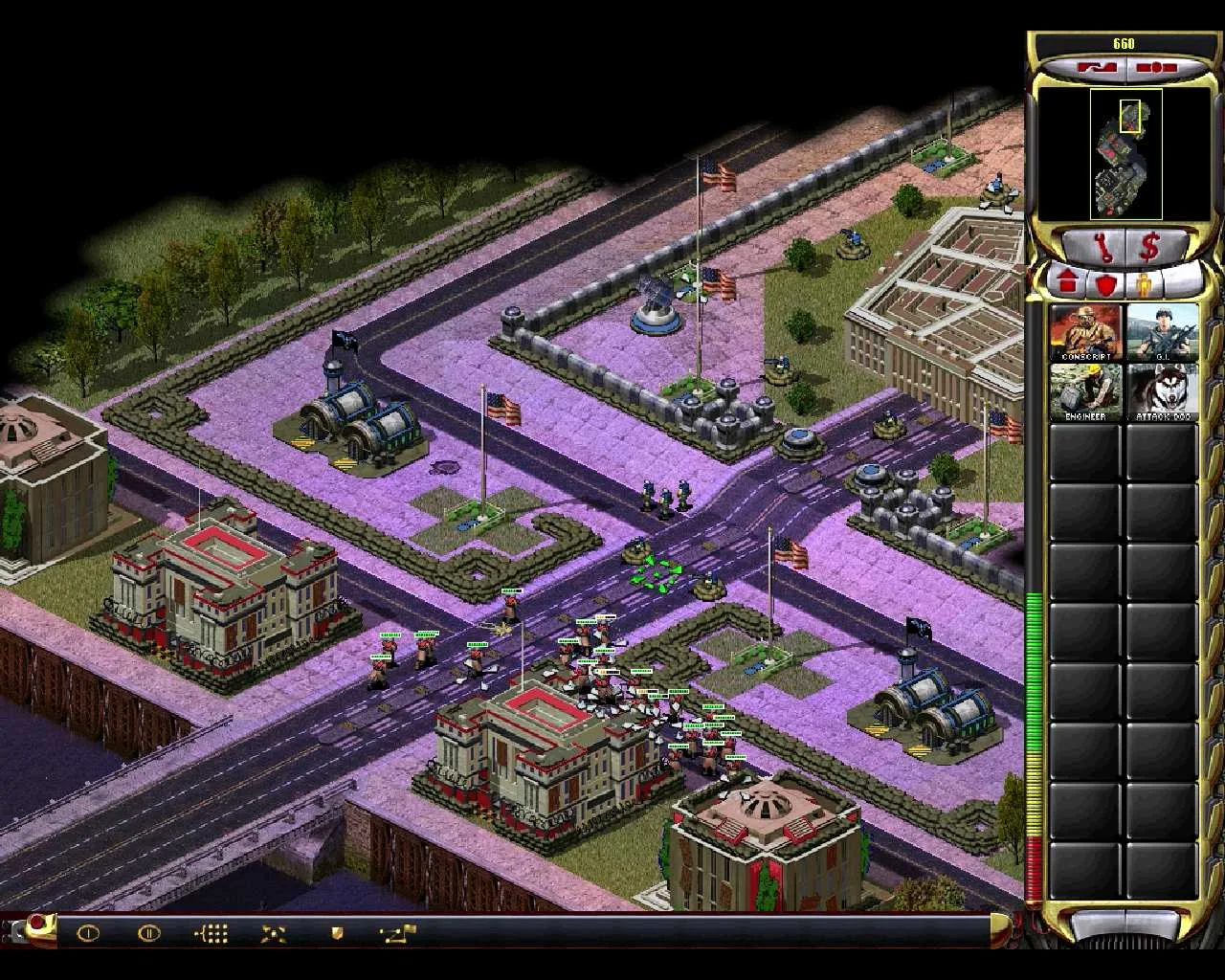
Command & Conquer: Red Alert 2 is a real-time strategy video game which was released for Microsoft Windows on October 25, 2000 as the follow-up to Command & Conquer: Red Alert. Red Alert 2 picks up at the conclusion of the Allied campaign of the first game. Its expansion pack is Command & Conquer: Yuri's Revenge, released a year later in 2001. Red Alert 2 was principally developed by Westwood Pacific in collaboration with Westwood Studios.
IMAGES:
GAMEPLAY VIDEO:
SYSTEM REQUIREMENTS:
MINIMUM
OS: Windows 95, 98, NT 6.0, 2000, or Millennium
Processor: Pentium II 266 or better
Memory: 64 MB of RAM
Graphics: 2 MB of Video RAM 3D Hardware acceleration (optional)
Storage: 200 MB of additional hard drive space
DirectX:
COMPRESSED FILE:
[Free no ads with file size less than 1 GB (1000 MB)]
Zip: 1.92 GB
Unzip: 1.92 GB
Warning: This game is warned by Windows Defender, the decision is up to
you!
Bản này mình lọc ra từ bản đĩa Command & Conquer: The First Decade. Steam thì mình chưa từng nghe có bản RA2 hỗ trợ Windows 10, vì công nghệ game này cũ và nhóm phát triển game thay người liên tục từ lâu rồi, khó mà có thể sửa lại được
Cái tương thích trên Steam để Windows 10 thì mình thấy nó chỉ là cấu hình yêu cầu kiểu tương đối/ tào lao thôi, chứ game này chưa từng được làm lại, remaster hay gì đâu, bản trên Steam đang bán cũng chỉ là bản cũ, mua về không chạy :v
Link Steam nè ad https://store.steampowered.com/app/2229850 , có hỗ trợ win10 nhưng mà lại bán theo bộ gần 500k, em muốn mua 1 game lẻ mà không được 🤣 đành chơi crack zậy 🤣
Đối với những người sử dụng CnCNET và gặp lỗi không hiển thị chuột ở menu sau khi ấn "ESC", hãy mở lại CnCNET, mở "Option", trong phần "Renderer", chọn "TS-DDraw", lưu lại và xong. Tận hưởng trò chơi!
For those using CnCNET and encountering the issue of the mouse cursor not appearing in the menu after pressing "ESC," reopen CnCNET, go to "Options," select "TS-DDraw" in the "Renderer" section, save, and you're done. Enjoy the game!

 by Admin

 by Admin




(GMT+7) 19/8/2023: Google Drive link is failed, MediaFire link is available!
ReplyDeleteadded Internet Archive link
Deleteadded 1fichier link
Deletethank you, i can continue my childhood
ReplyDeleteHave a good day <3
Deletei have a problem game not opening saying "FATAL string manager failed to initialized properly"
ReplyDeleteTry running the game with administrator rights
DeleteLink die hết rồi ad ơi
ReplyDeleteBạn dùng link Google Drive nhé, tạm thời link Internet Archive đang gặp sự cố hệ thống
DeleteAd ui, bản này ad kéo về từ sờteam phải không ạ?
ReplyDeleteTại em thấy bản đó support Win10 official rùi thì phải ạ
DeleteBản này mình lọc ra từ bản đĩa Command & Conquer: The First Decade. Steam thì mình chưa từng nghe có bản RA2 hỗ trợ Windows 10, vì công nghệ game này cũ và nhóm phát triển game thay người liên tục từ lâu rồi, khó mà có thể sửa lại được
DeleteCái tương thích trên Steam để Windows 10 thì mình thấy nó chỉ là cấu hình yêu cầu kiểu tương đối/ tào lao thôi, chứ game này chưa từng được làm lại, remaster hay gì đâu, bản trên Steam đang bán cũng chỉ là bản cũ, mua về không chạy :v
DeleteLink Steam nè ad https://store.steampowered.com/app/2229850 , có hỗ trợ win10 nhưng mà lại bán theo bộ gần 500k, em muốn mua 1 game lẻ mà không được 🤣 đành chơi crack zậy 🤣
DeleteNếu thế thì đúng rồi, nó bán theo bộ từ lâu rồi bạn nhé, và vẫn chỉ là file game cũ thôi, phải cài thêm fix lỗi bên ngoài vào :')
Deletemà ad ơi, em chơi bản của ad trên win 11 ok luôn, nhưng con chuột trong menu thì mất hình không thấy, trong game thì bình thường, ad có bị không ạ
Deleteà em tải ddraw ở đây fix được rồi ạ :') https://github.com/FunkyFr3sh/cnc-ddraw/releases
DeleteNhưng file game mình đã cài sẵn cnc-draw (FunkyFr3sh) rồi :v
Deletedù sao thì em cũng cảm tạ công đức sốp nha 😂
DeleteChúc bạn một ngày tốt lành
DeleteĐối với những người sử dụng CnCNET và gặp lỗi không hiển thị chuột ở menu sau khi ấn "ESC", hãy mở lại CnCNET, mở "Option", trong phần "Renderer", chọn "TS-DDraw", lưu lại và xong. Tận hưởng trò chơi!
ReplyDeleteFor those using CnCNET and encountering the issue of the mouse cursor not appearing in the menu after pressing "ESC," reopen CnCNET, go to "Options," select "TS-DDraw" in the "Renderer" section, save, and you're done. Enjoy the game!
ReplyDelete